[ Article ]
Framer vs WordPress: design, upkeep and cost
Where WordPress is still the better tool, where Framer is, and what each really costs to run.

The short answer
Pick WordPress if you need something only a plugin can give you, a very large content site, or full control over where and how the site is hosted. Pick Framer if you want a well-designed site that you can edit yourself and never have to update, patch or babysit.
I build in Framer, so read this with that in mind. WordPress runs a huge share of the web for good reasons, and I’ll say where it’s the better tool.
At a glance
What it is: WordPress is open-source software you install on hosting, or use on WordPress.com. Framer is a design tool and host in one.
Upkeep: Framer, clearly. There are no plugins, themes or core updates to keep on top of.
Extending it: WordPress, by a mile. Tens of thousands of plugins cover almost anything.
Design and motion: Framer. You design the site itself instead of bending a theme.
Ownership: WordPress. You can move a self-hosted site to any host. A Framer site stays on Framer.
Large content sites: WordPress handles thousands of posts, authors and categories with ease.
How they feel to build in
On WordPress, most sites start from a theme, then get shaped with a page builder or a block editor and a set of plugins. A developer can change anything, which is its great strength. Without one, the design is usually as good as the theme.
On Framer, you design the page directly on a canvas, set the tablet and phone layouts, and publish. What you see while editing is what goes live, and the person who designed the site can hand it over without a manual.
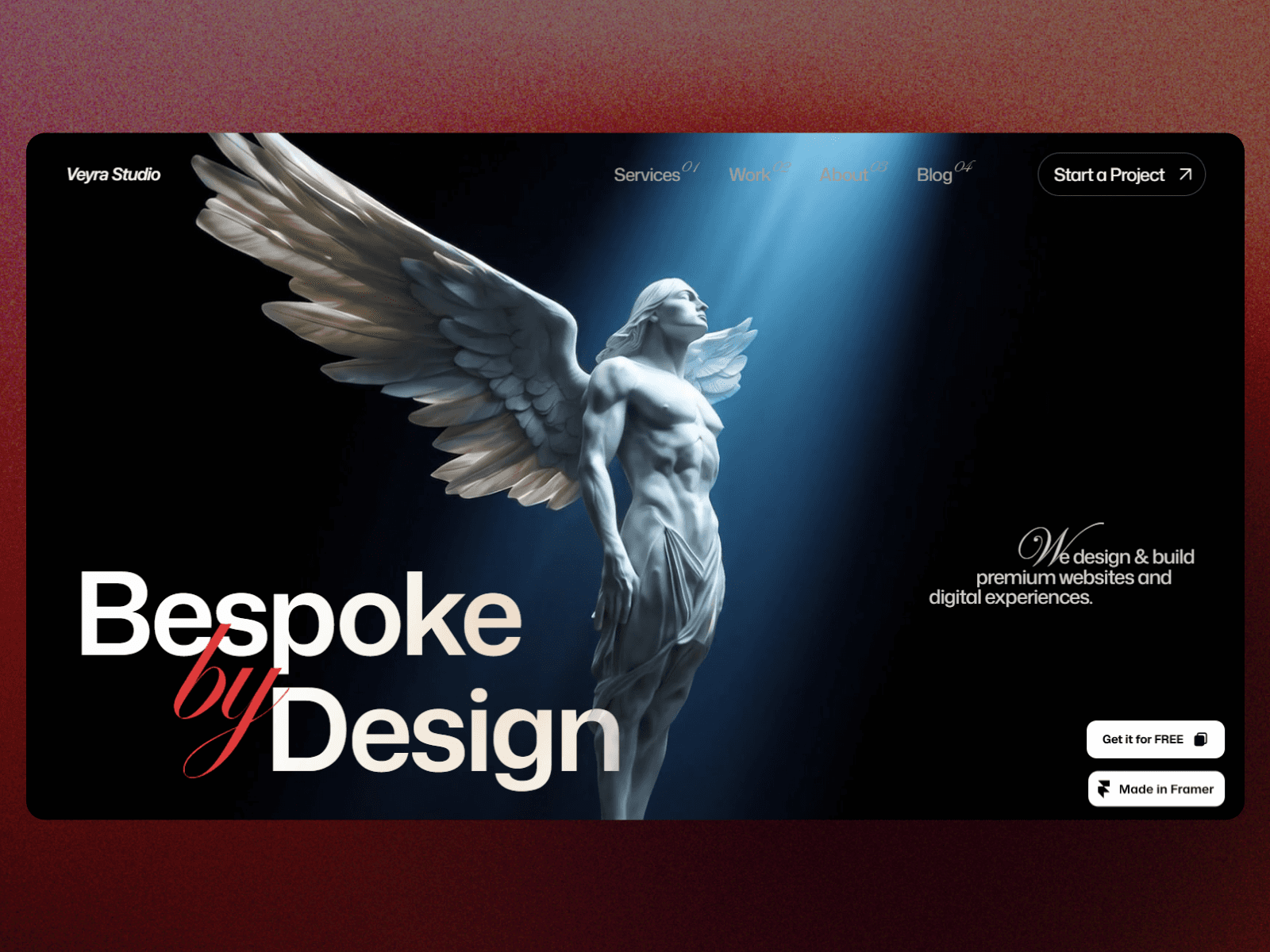
A site like Veyra Studio, a free agency template of mine, would take a custom WordPress theme to match. In Framer it’s the starting point.
What they cost
WordPress: the software is free. You pay for hosting, a domain, often a premium theme and some paid plugins, and someone’s time to keep it updated. On WordPress.com, paid plans run from about $4 to $45 a month billed yearly.
Framer: free on a framer.website address. Basic is $10 a month with your own domain, Pro is $30 a month. Hosting, security and updates are included. The Framer pricing guide has the detail.
The plan prices look similar. The difference is the hours. A WordPress site needs someone to run updates and fix what they break, and that time is the real cost.
WordPress can do almost anything. Framer makes the common things beautiful and easy.
Upkeep and security
Every WordPress plugin is code from a different author, and each one needs updating. Most of the time that’s fine. Sometimes an update breaks a layout or a form, and an old plugin left unpatched is a common way into a site.
Framer hosts every site itself. There’s nothing for you to install or update, so there’s nothing to fall behind on.
Blogs and content
WordPress started as a blogging tool, and it shows. Categories, tags, authors, comments, scheduling and RSS are all built in, and it copes with years of archives.
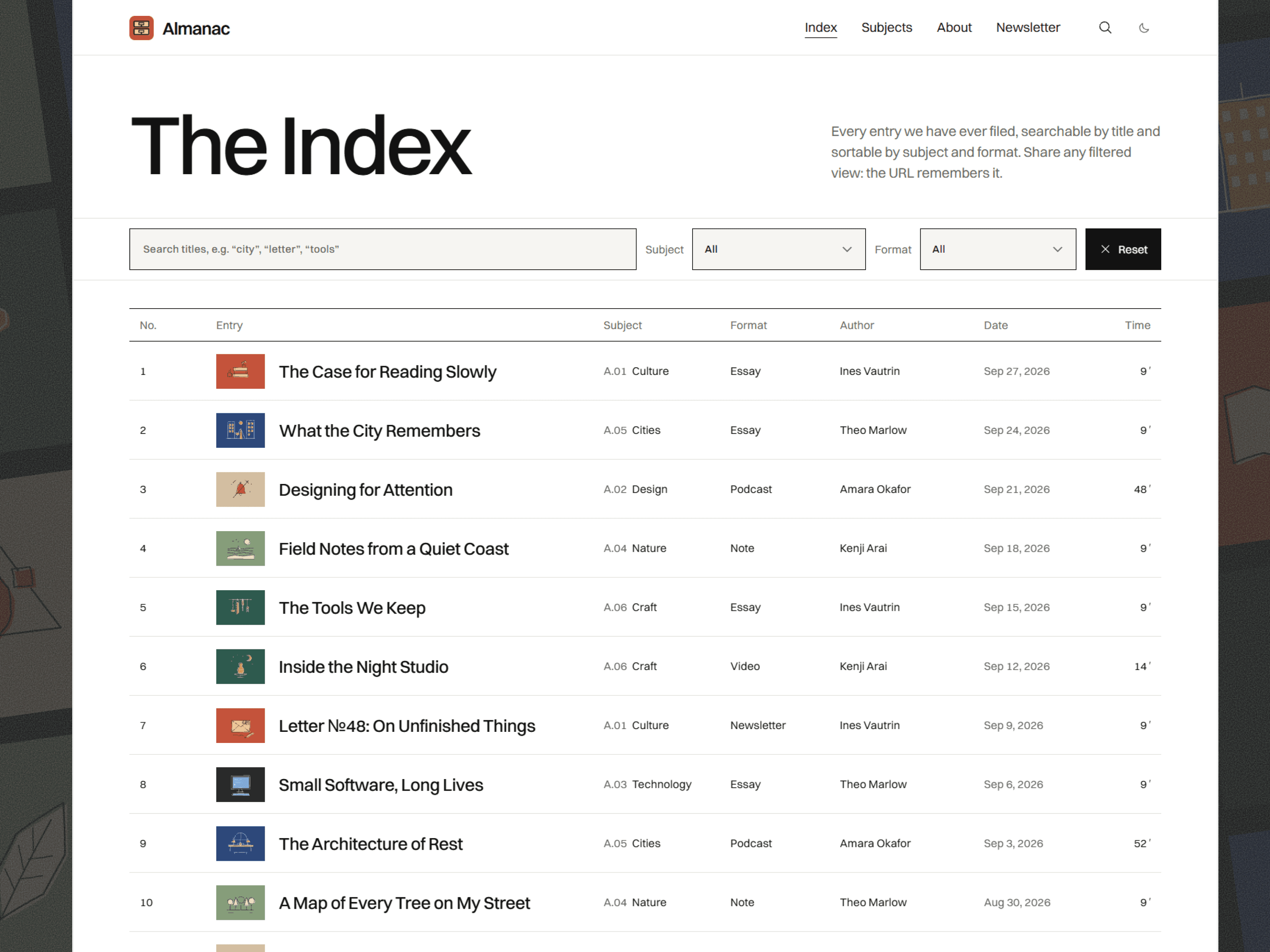
Framer’s CMS covers what most blogs need. Almanac, my blog template, files essays, notes and films by subject, with a searchable index, a contents sidebar that tracks your place and a reading progress bar. For a site with tens of thousands of posts, WordPress is still the safer choice.
Selling online
WooCommerce turns WordPress into a full store. Framer has no store of its own, so you connect Shopify or a checkout such as Stripe, Lemon Squeezy or Polar. For a large catalogue, WordPress or Shopify is the better base.
SEO
WordPress has well-known SEO plugins with a lot of settings. Framer has the essentials built in: titles, descriptions, alt text, clean URLs, a sitemap and redirects on Pro. Both can rank well. The content is what decides it.
When I’d pick each
WordPress: a large publication, a store with many products, a site that depends on specific plugins, or a team with a developer on hand.
Framer: a service business, a startup, a portfolio or a brand site, where the design matters and nobody wants to maintain plugins.
Moving from WordPress to Framer
List your URLs, and note which pages and posts get search traffic.
Export your posts from WordPress, convert them to CSV and import them into a Framer CMS collection.
Rebuild the design in Framer, or start from a template.
Replace the plugins you rely on, like forms, booking or newsletter, with tools that work with Framer.
Set up redirects from the old URLs on Framer Pro.
Move the domain and test every form the same day.
Is Framer better than WordPress?
For design, ease of editing and zero upkeep, yes. For plugins, very large sites and full control over hosting, WordPress is ahead.
Is Framer cheaper than WordPress?
Often, once you count the time spent on updates. The plans themselves cost about the same.
Can I export a Framer site to WordPress?
Not directly. CMS content can be exported, but the design would need rebuilding.
Do I need a developer for a Framer site?
Not to run it. You can edit the copy, the images and the CMS yourself. A designer builds it once, and you take it from there.
Moving off WordPress? Start a project and I’ll handle the rebuild and the redirects, or browse my templates.
Some links to Framer on this page are referral links. If you sign up through one, I may earn a commission, at no extra cost to you.

Written by Gwatsin
Designer and developer
[ Next article ]
Framer vs Lovable: website or app? →

exquisite