[ Article ]
A wedding website template that feels like the invitation
What guests look for on a wedding website, and the Framer template I made for it.

What guests open it for
Guests visit a wedding website a handful of times, and each time they want one thing. The date and the venue. What time to arrive. Where to stay. How to RSVP. The rest is nice to have.
A good wedding website template puts those first, reads well on a phone and lets you change a detail in a minute when the caterer moves the dinner to seven.
Promessa, $49, a one-page wedding website
Promessa is the wedding template I built in Framer. I wanted it to feel like part of the invitation. It’s dark and editorial, with ivory type on ink and a soft sage accent. Your names write themselves in and split apart as you scroll.
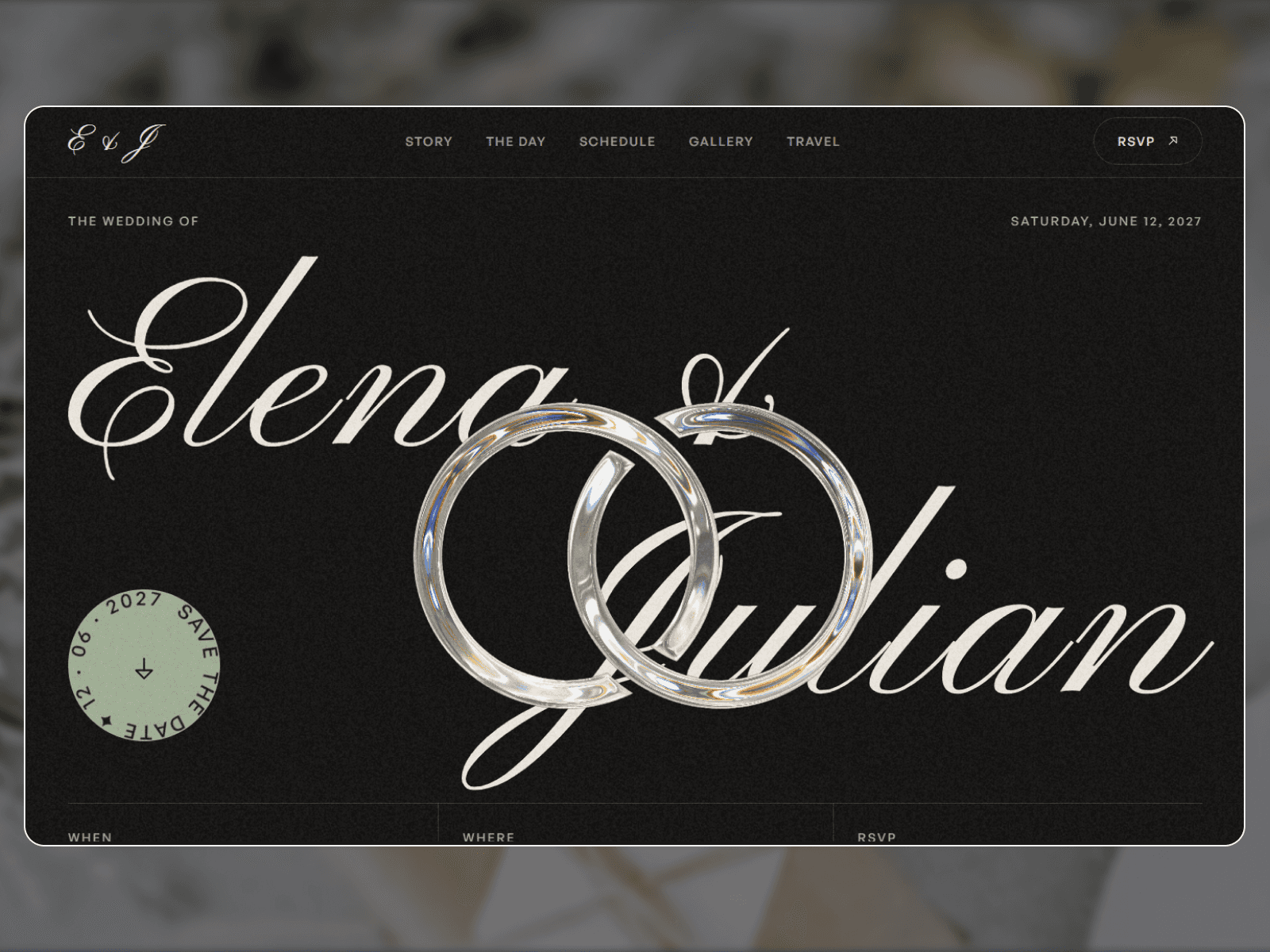
The first screen is the save the date. Two glass rings sit beside a seal with the date on it, and a countdown runs further down the page.
What’s in it
Save the date: glass rings beside a save-the-date seal, and a live countdown to the day.
Our story: told in a few lines that reveal word by word.
Order of the day: each moment with a photo preview.
Photos: a gallery guests can drag through.
Travel and stay: how to get there and where to sleep.
RSVP: a working form guests fill in from their phone.
A preloader, a custom cursor and a light film grain finish it off. The type is Pinyon Script for the names and General Sans for everything else.
Why one page works for a wedding
Nobody browses a wedding website. They come for an answer and leave. On one page, every answer is a scroll away, and you only ever send one link.
Your guests come for a time, a place and a form. Everything else is extra.
Writing your story
The story section is the one couples worry about most. Keep it short. Three or four sentences about how you met beat a page about your relationship.

Be specific. A train, a time of day and one small detail tell guests more than “we instantly clicked”. The demo copy in Promessa shows the length that works.
Travel and the countdown
For a destination wedding, the travel section does the most work. Say which airport to fly into, how to get from there to the venue and where you’ve held rooms. Add the booking code if there is one.

A checklist before you send the link
Send a test RSVP from your own phone and check it arrives.
Check every time and address against your booking emails.
Open it on a phone with the screen dimmed, the way a guest in a taxi would.
Add your registry link and any hotel booking codes.
Set an RSVP deadline and put it in the RSVP section in plain words.
A template or a free wedding site?
Zola, The Knot and Withjoy all give you a free wedding website with a registry built in. If that covers it, use one of them. They work.
A template is for couples who want the site to look like their wedding instead of a theme thousands of others picked. You get full control of the type, the photos and the layout, and you can still link your registry from it.
What it costs
Promessa is $49, paid once. Framer is free to build on and to publish at a framer.website address. Promessa uses no CMS collections, so it runs on the Basic plan at $10 a month. That’s the plan I’d use for your own domain and the RSVP form, and you can drop it after the wedding. The Framer pricing guide covers the plans in detail.
Setting it up
Open the template in Framer and change the names, the date, the venue and the photos. Point the RSVP form at your email. Connect a domain and publish. You don’t need to write any code.
If you’d rather not touch it, Template Setup is $249. I put in your names, photos and details, connect the domain, and it’s live in three to five days.
Can I make a wedding website for free?
Yes. Zola, The Knot and Withjoy are free, and Framer’s free plan works too on a framer.website address. You pay for a template or a custom domain only if you want them.
When should a wedding website go live?
Most couples put it live with the save the dates, so the link can go on the card. Six to eight months before the day is common.
What should a wedding website include?
The date and venue, the schedule, travel and places to stay, the RSVP, registry links and a short FAQ. Dress code, plus-ones and kids are the questions guests ask most. I go through each section in what to put on a wedding website.
Can guests RSVP on Promessa?
Yes. The RSVP form works out of the box. Guests fill it in and the answers come to you.
See it live on the Promessa page, or browse the rest of my templates.

Written by Gwatsin
Designer and developer
[ Next article ]
A real estate website template for independent agencies →

exquisite